
Calling Join the beta

For iPhone · Trains across Great Britain

Your train, live.

Pick the train you're catching, and Calling At follows it for you: where it is now, which platform, and when you'll get in. On a map, on your Lock Screen and on Apple Watch.

Free on TestFlight. Needs iOS 26.

On your Lock Screen.

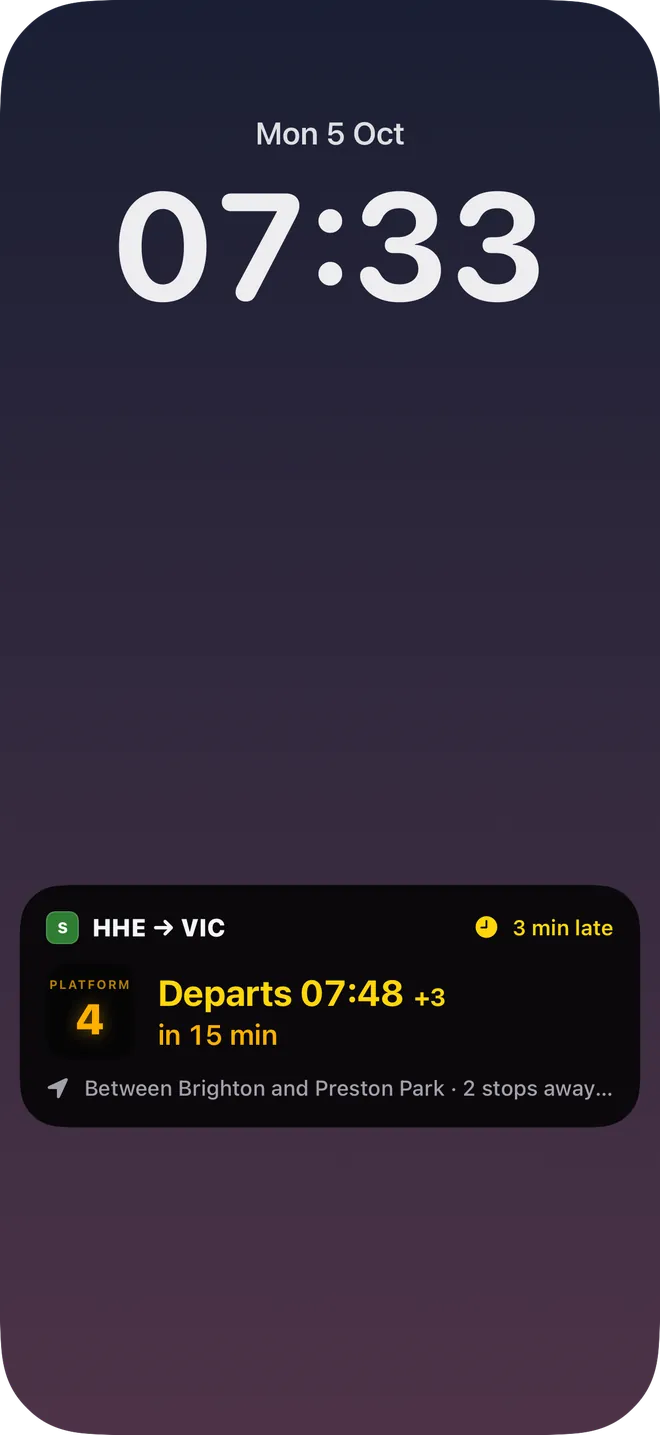
The Live Activity counts down to your train and puts its platform up the moment it's known. It's in the Dynamic Island too, and on Apple Watch.

An iPhone Lock Screen at 07:33 with a Live Activity for Southern's train from Haywards Heath to London Victoria: platform 4, departs 07:48, 3 minutes late, in 15 minutes, between Brighton and Preston Park, 2 stops away. Beside it, the Dynamic Island shows platform 4 and 15 minutes, and an Apple Watch's Smart Stack the same.

Pick the train, not the station.

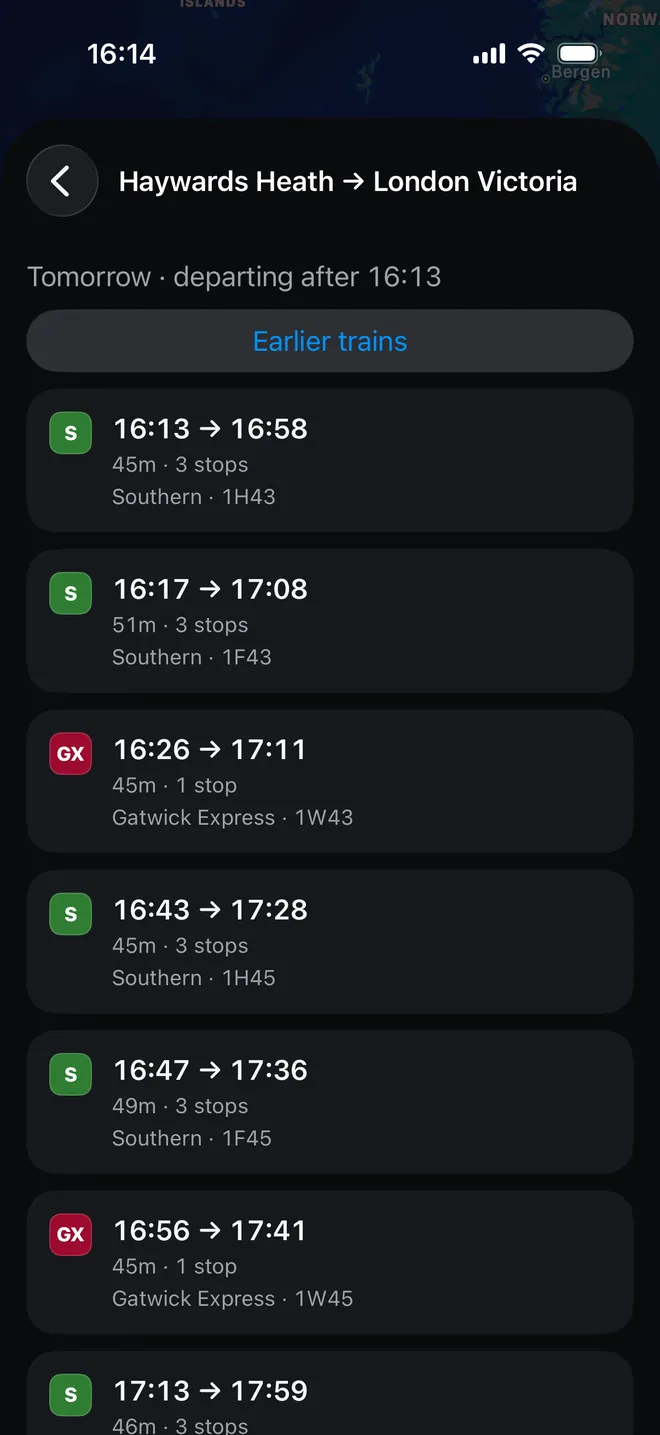
Find any direct train in Great Britain by route and time, up to 90 days ahead, or by its headcode. Track it, and Calling At does the checking.

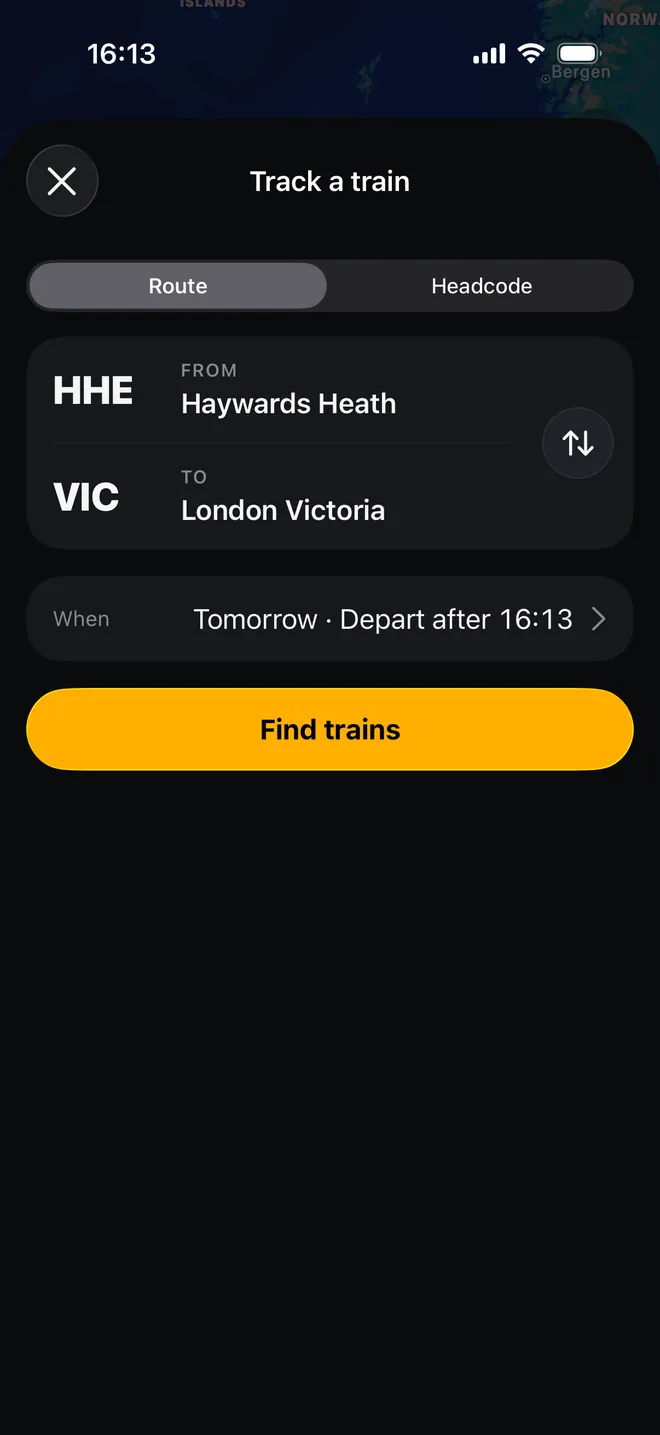
Track a train from Haywards Heath to London Victoria for tomorrow, departing after 16:13. Then the results: Southern and Gatwick Express trains from 16:13, each with its times, how long it takes and how many stops it makes.

Where's my train?

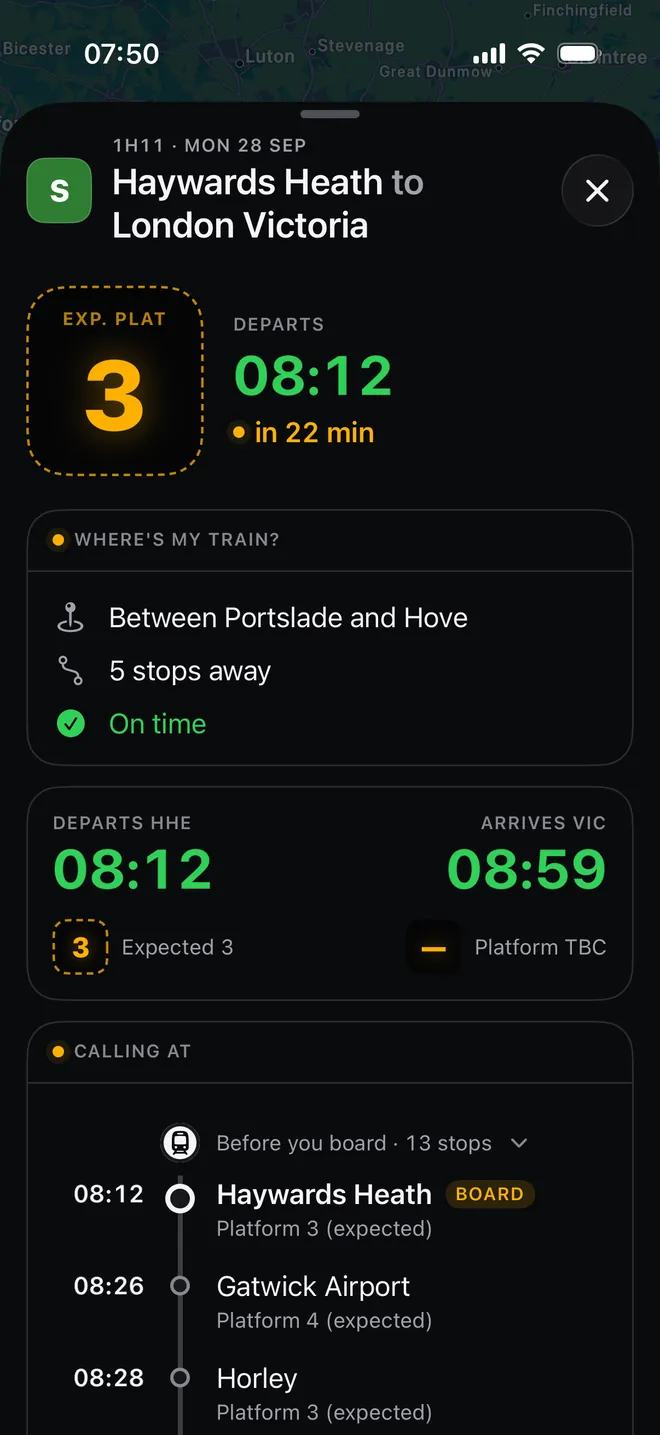
See where it is now, even if it set off hours ago, how many stops away it is, and when it calls at each one.

The detail of Southern's 1H11 from Haywards Heath to London Victoria on Monday 28 September: expected at platform 3, departs 08:12, in 22 minutes. Where's my train: between Portslade and Hove, 5 stops away, on time. Then its times, 08:12 to 08:59, and its calls: Haywards Heath, Gatwick Airport, Horley.

On the map, on the real line.

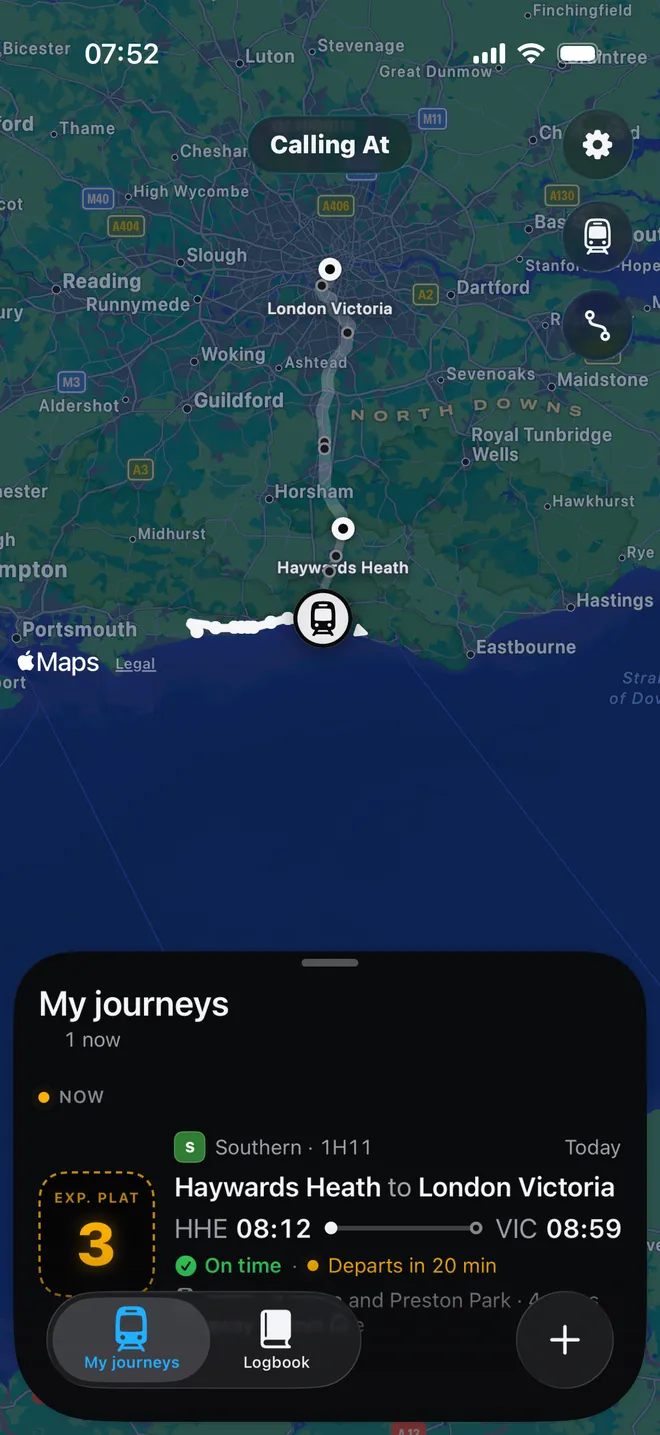
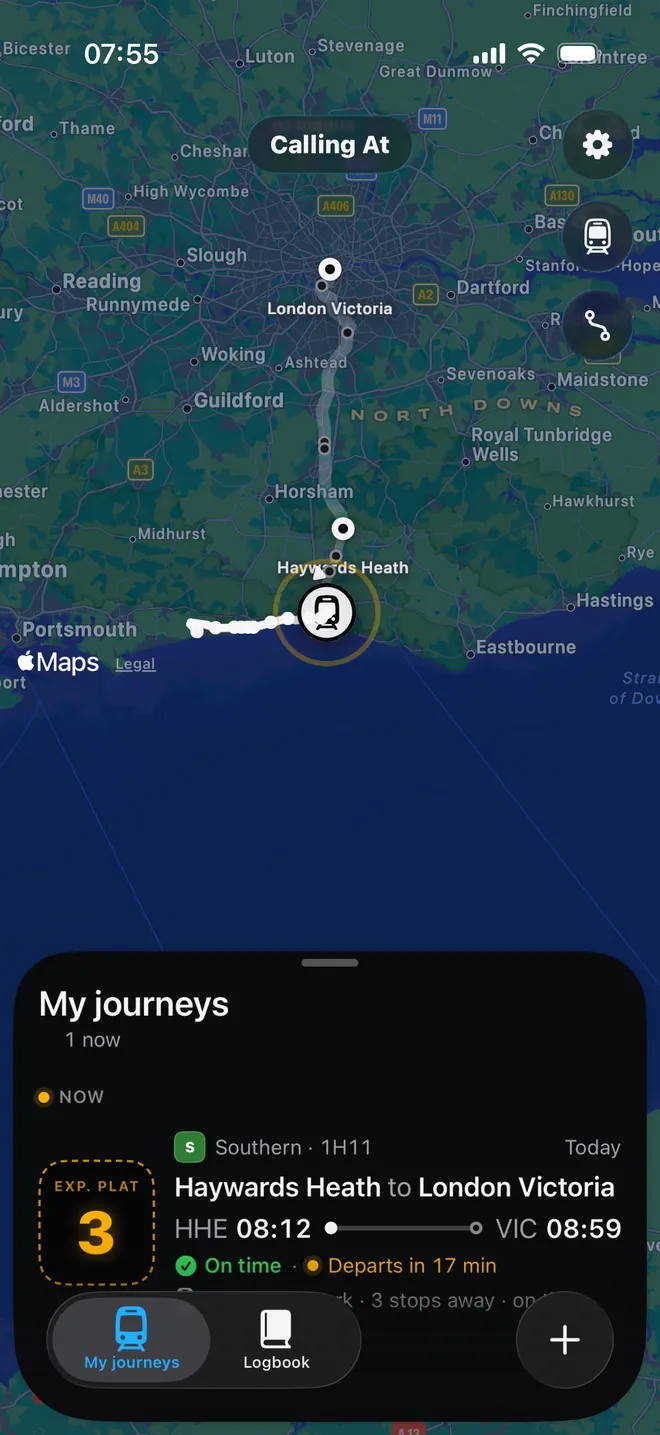
Your train moves along the actual track, worked out from the railway's own signalling. When a position is an estimate, it says so.

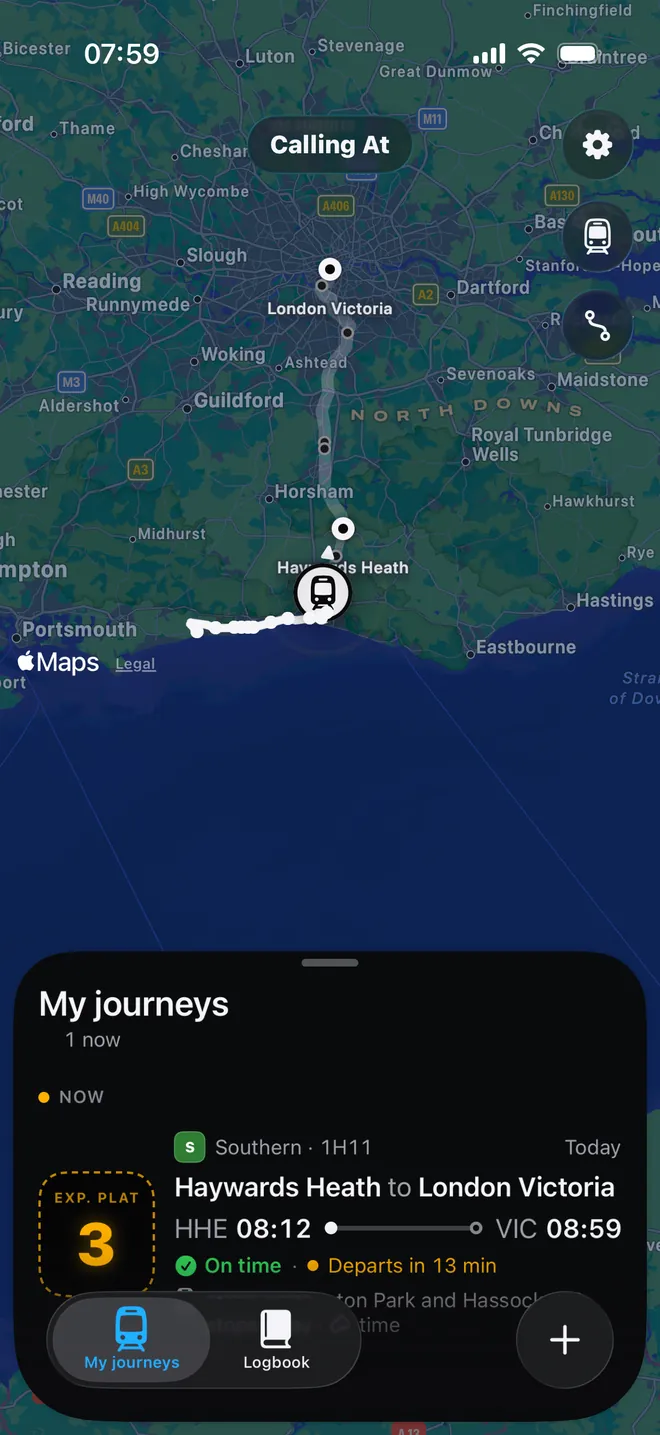
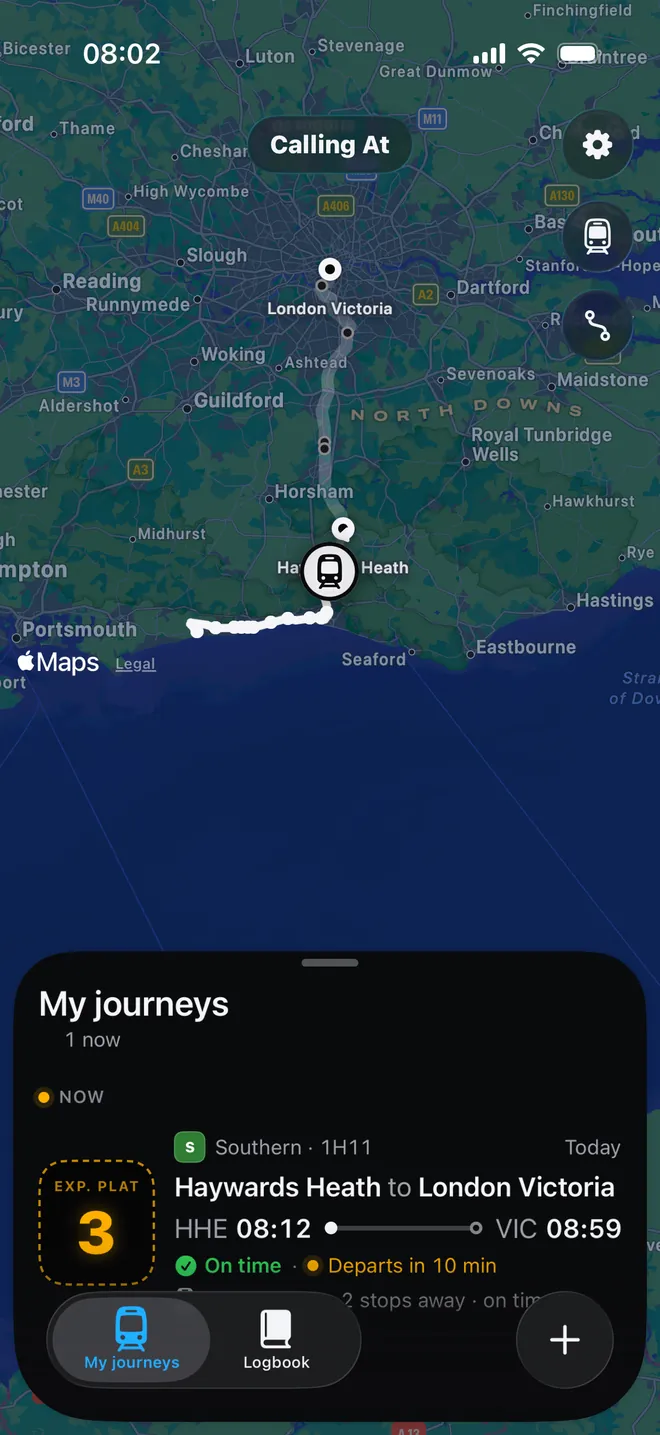
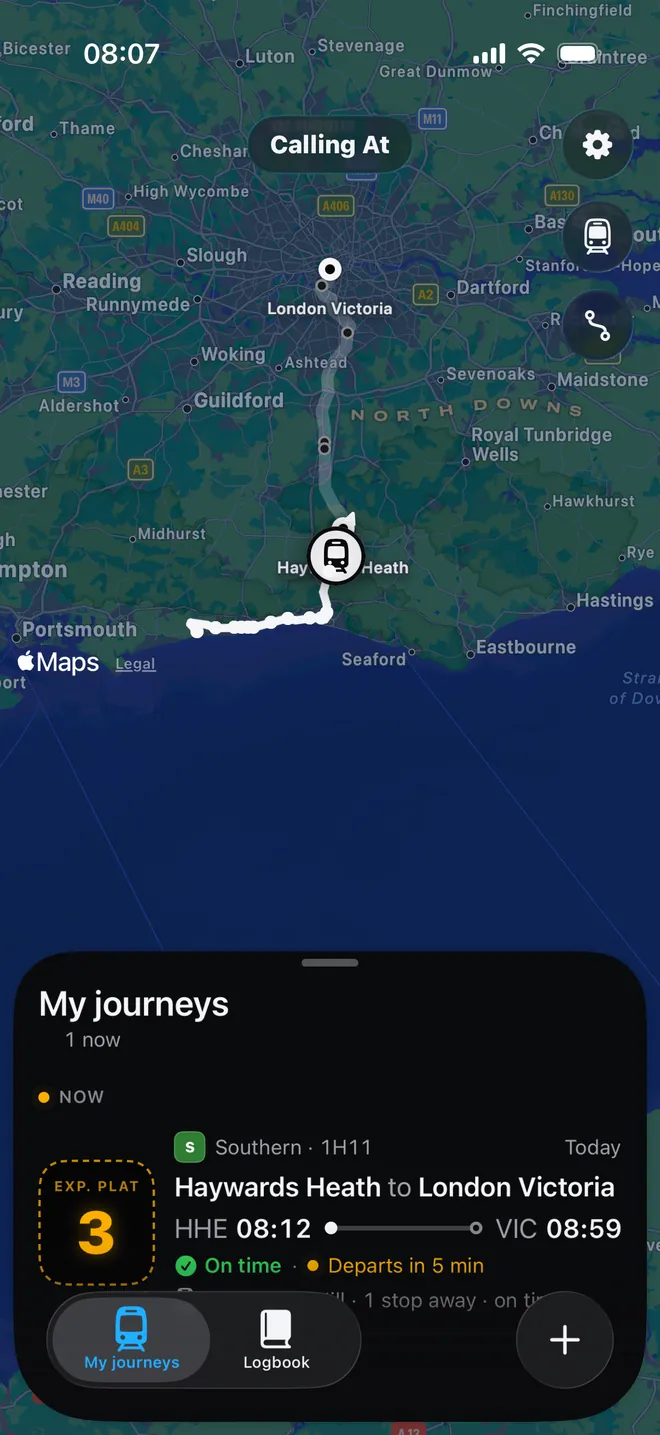
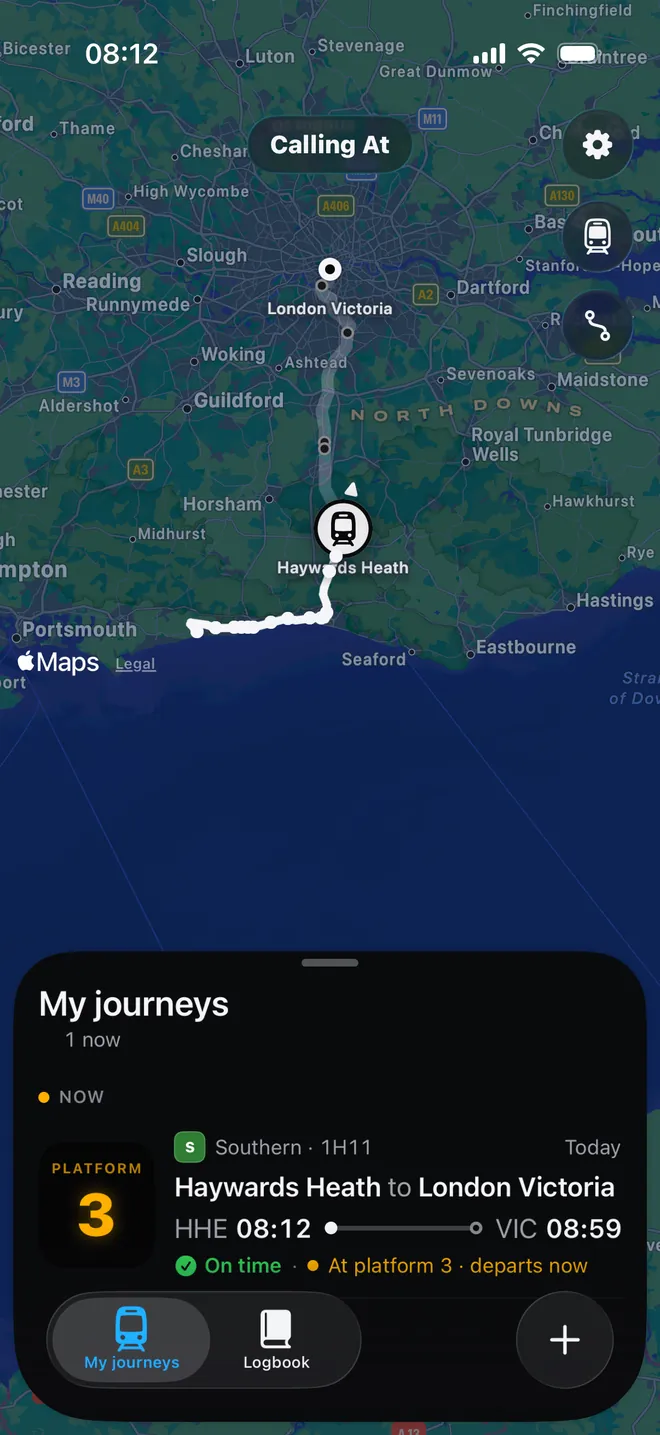
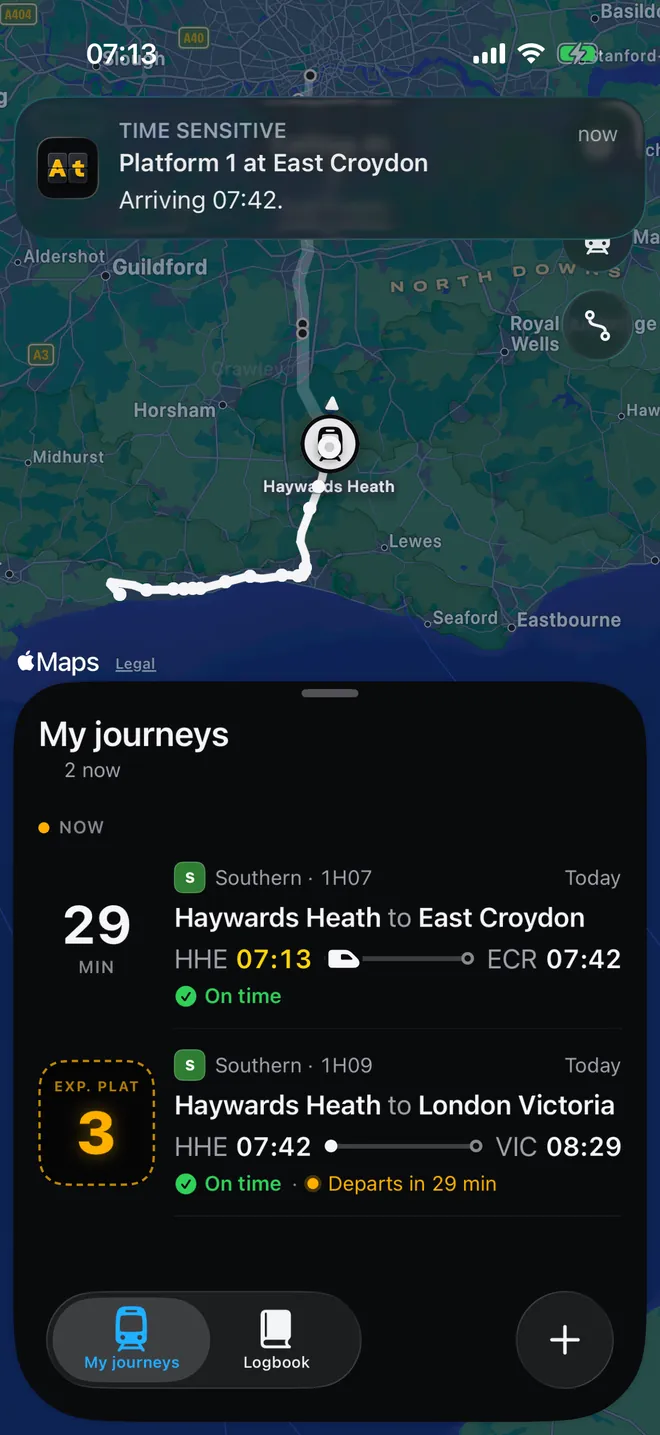
Home following Southern's 1H11 up the line from Hove to Haywards Heath, where it's expected at platform 3 at 08:12. Below the map, its row counts down: departs in 20, 17, 13, 10 and 5 minutes, then at platform 3, departing now.

It tells you first.

One alert for each change that matters, from the platform to your stop, and never the same one twice.

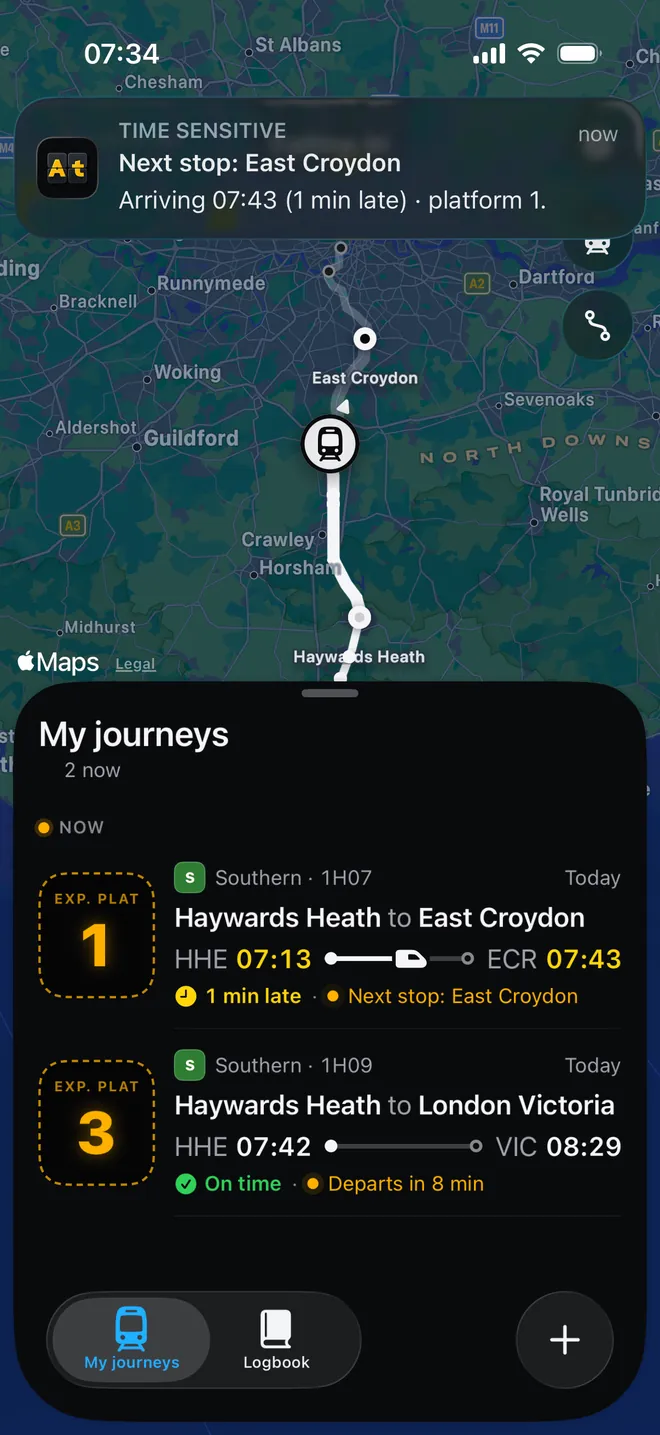
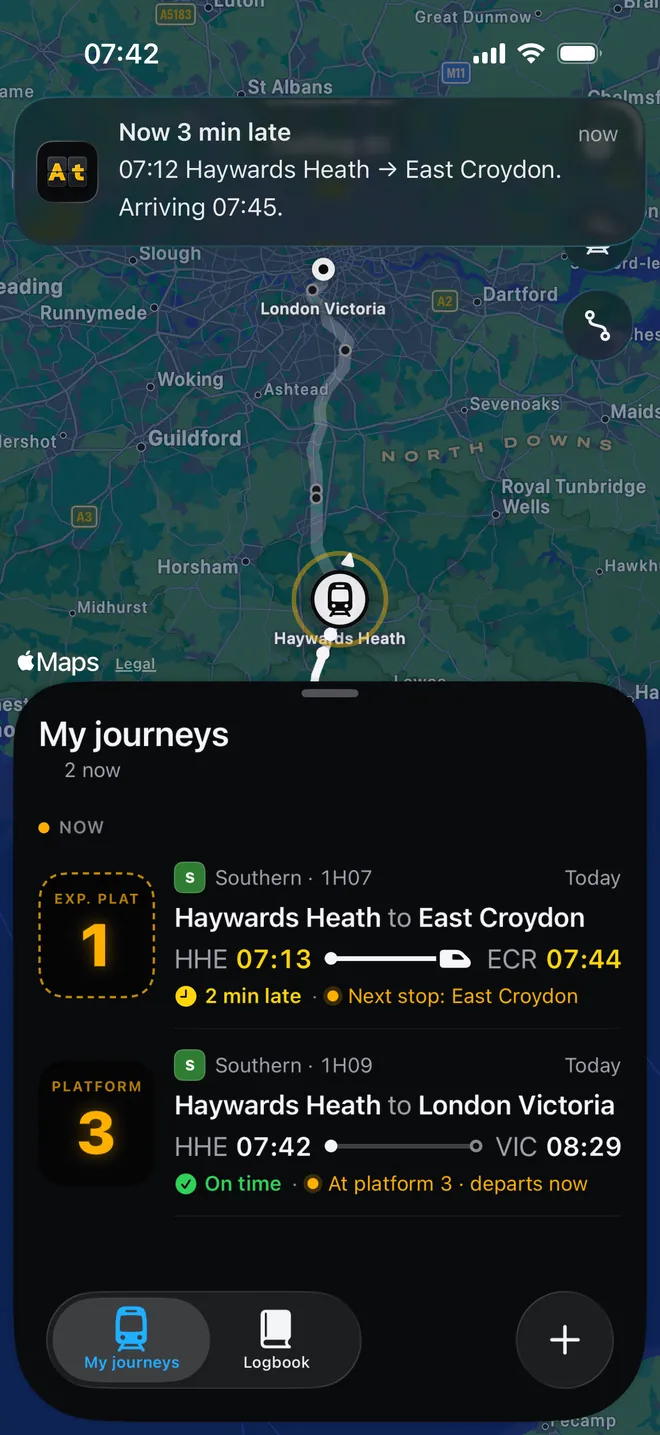
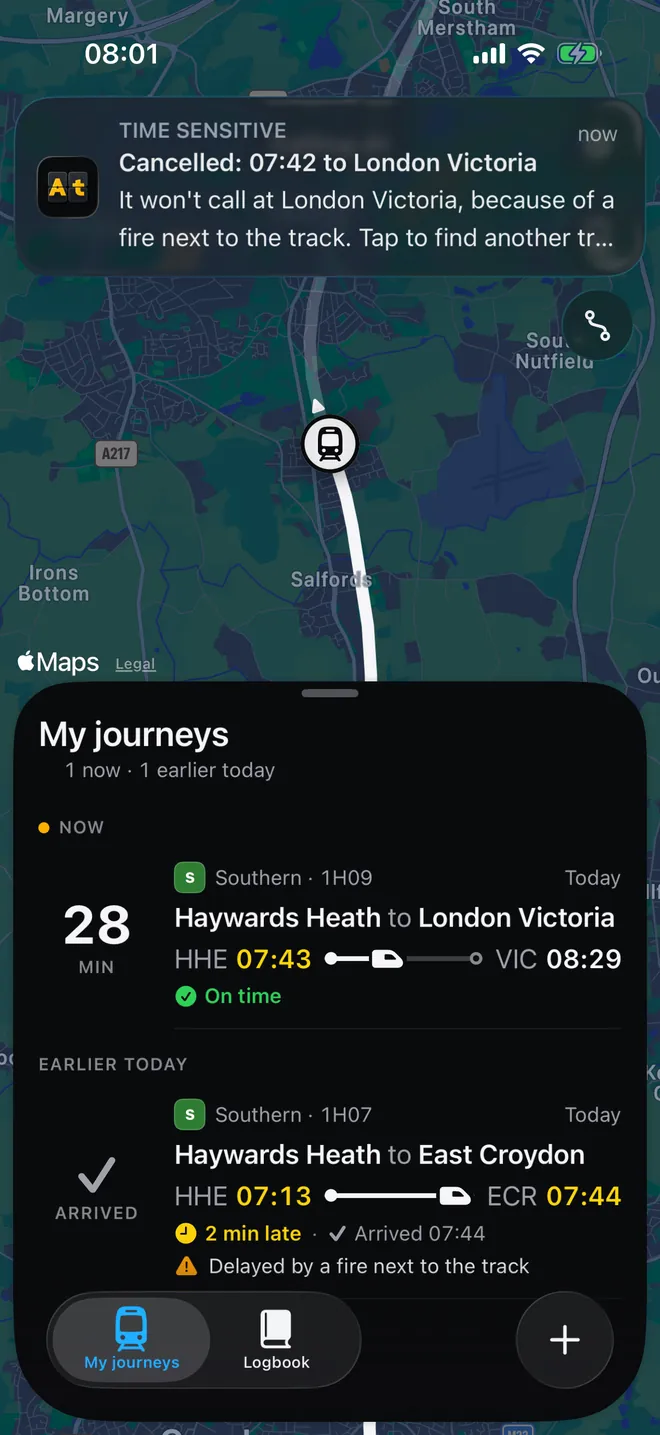
Four alerts arrive over Home while two trains are followed: Platform 1 at East Croydon, arriving 07:42. Next stop: East Croydon, arriving 07:43, 1 minute late, platform 1. Now 3 minutes late, the 07:12 Haywards Heath to East Croydon, arriving 07:45. And Cancelled: the 07:42 to London Victoria won't call at London Victoria, because of a fire next to the track.

Every train you've taken.

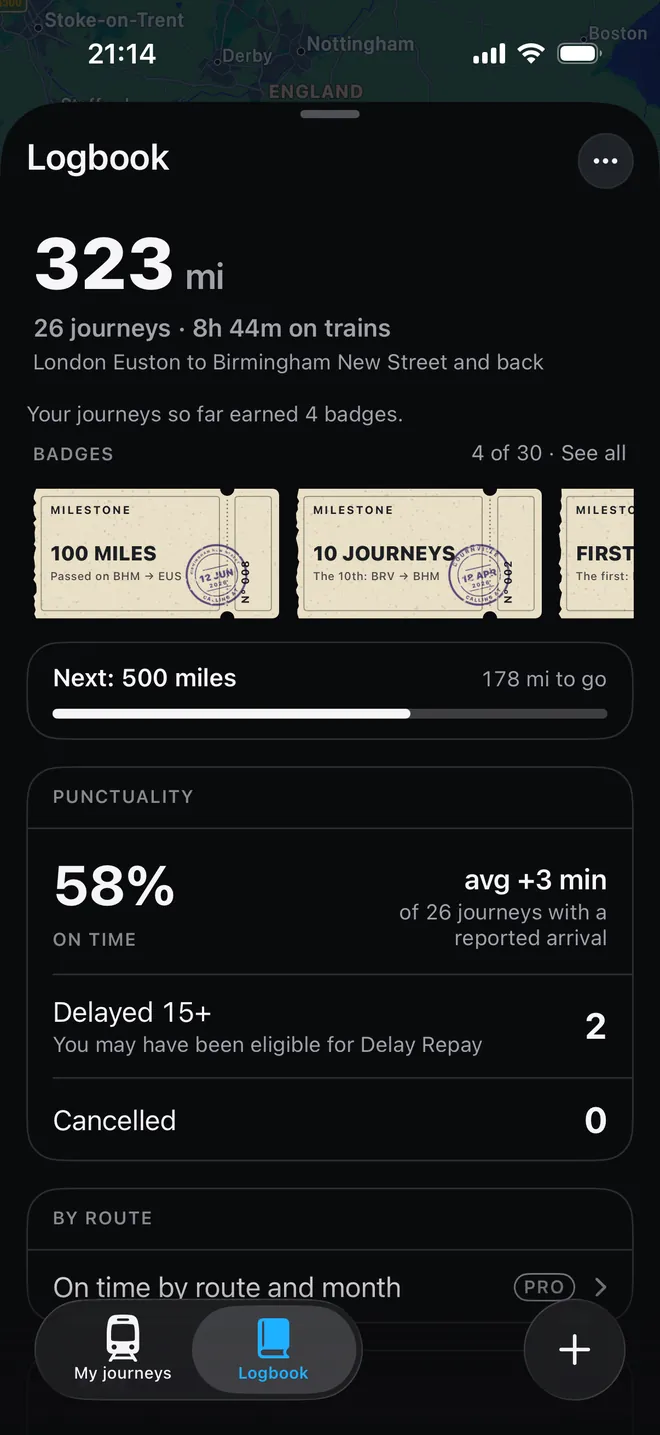
Your Logbook adds up the miles and how often you were on time, with badges to collect, each a ticket stamped with the day.

The Logbook: 323 miles over 26 journeys and 8 hours 44 minutes on trains, mostly London Euston to Birmingham New Street and back. Its badges are tickets, 4 of 30 so far, among them 100 miles and 10 journeys, and it's 58% on time.

PRO

Your next train at a glance.

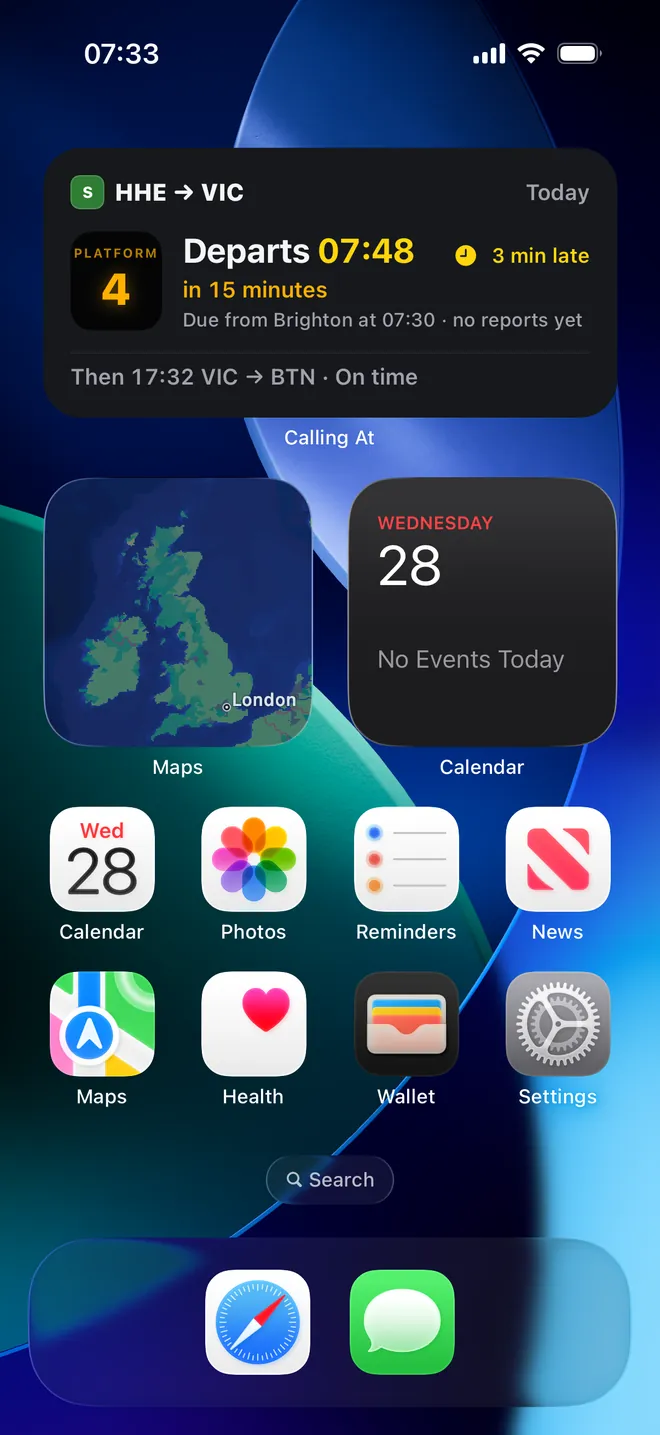
The Next train widget on your Home Screen and in StandBy, and the Apple Watch app with its complications.

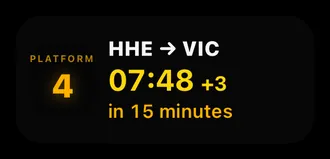
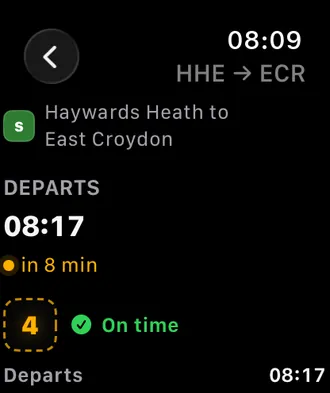
The Home Screen with the Next train widget: Haywards Heath to London Victoria from platform 4, departs 07:48, 3 minutes late, in 15 minutes, then the 17:32 from London Victoria to Brighton, on time. Beside the phone, the Apple Watch app: Haywards Heath to East Croydon, departs 08:17 from platform 4, on time, in 8 minutes.

PRO

Your usual train, on your days.

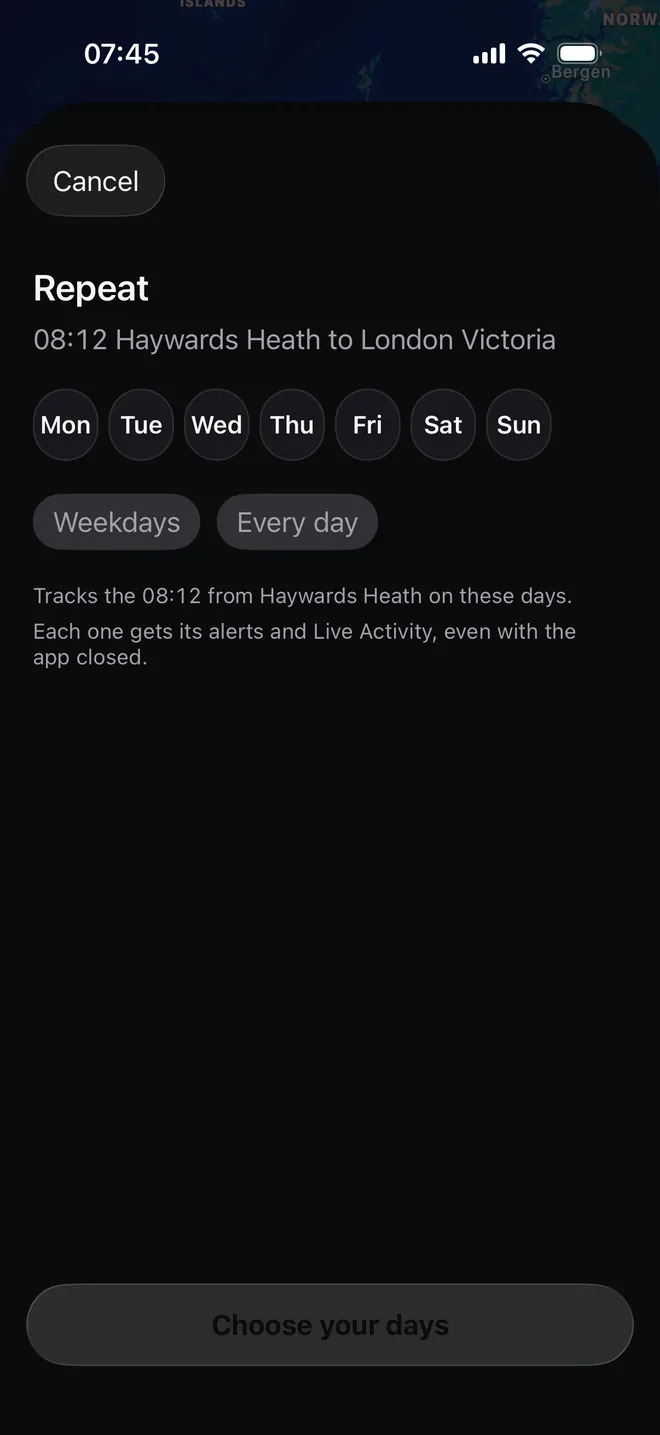
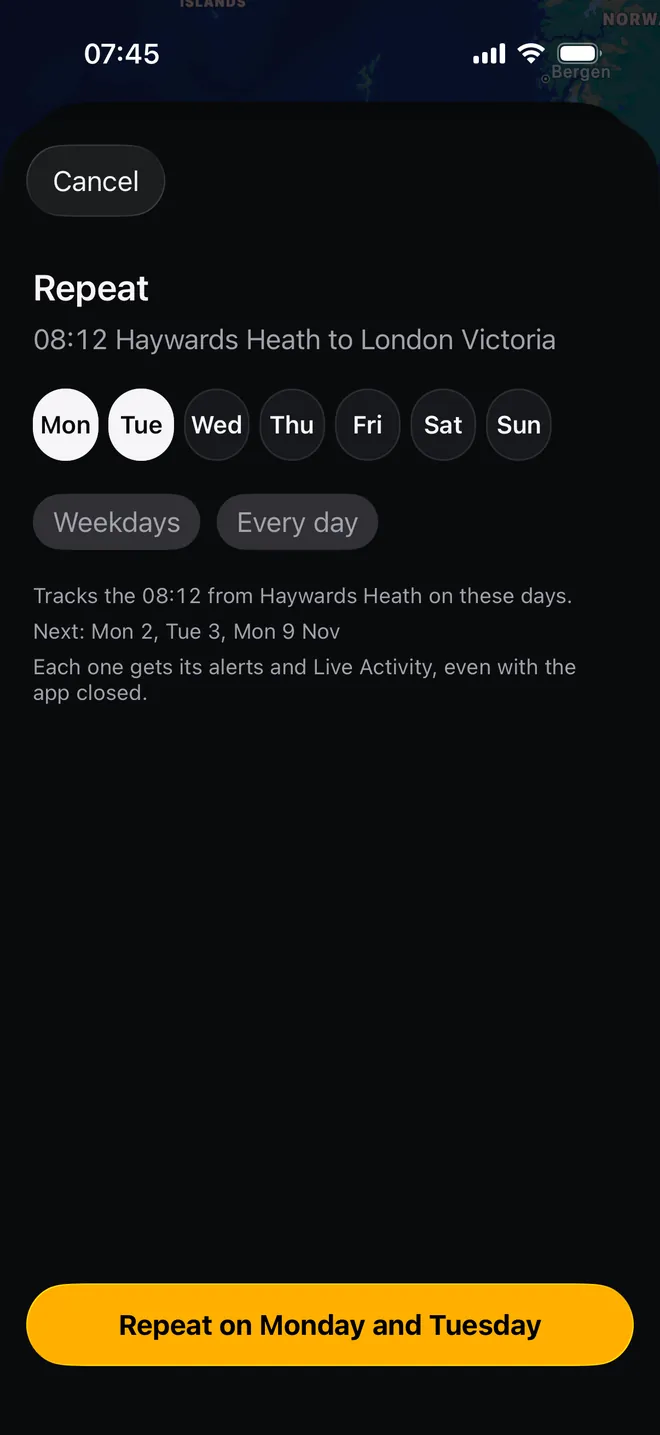
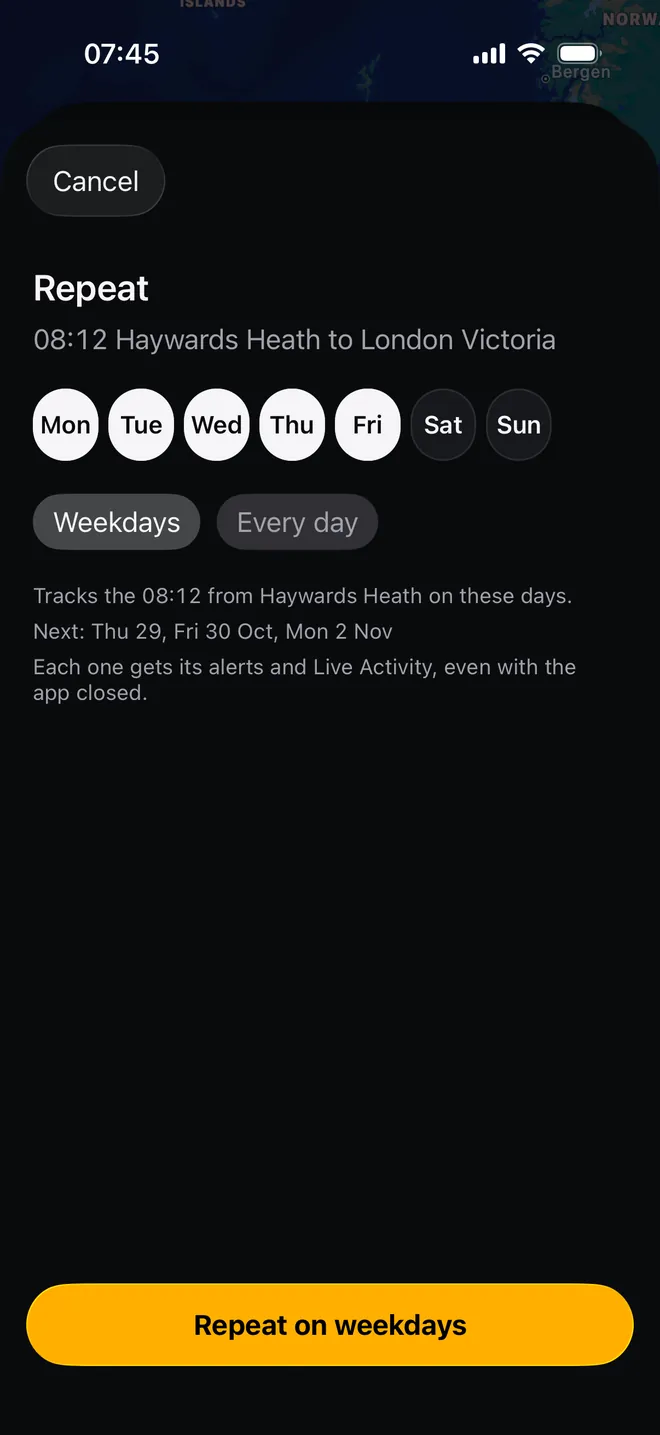
Repeat schedules track it on the days you choose, with its alerts and Live Activity, even with the app closed.

Repeat, for the 08:12 from Haywards Heath to London Victoria: Monday to Friday chosen one by one, with the next three runs, and Repeat on weekdays.

PRO

Know when you may claim.

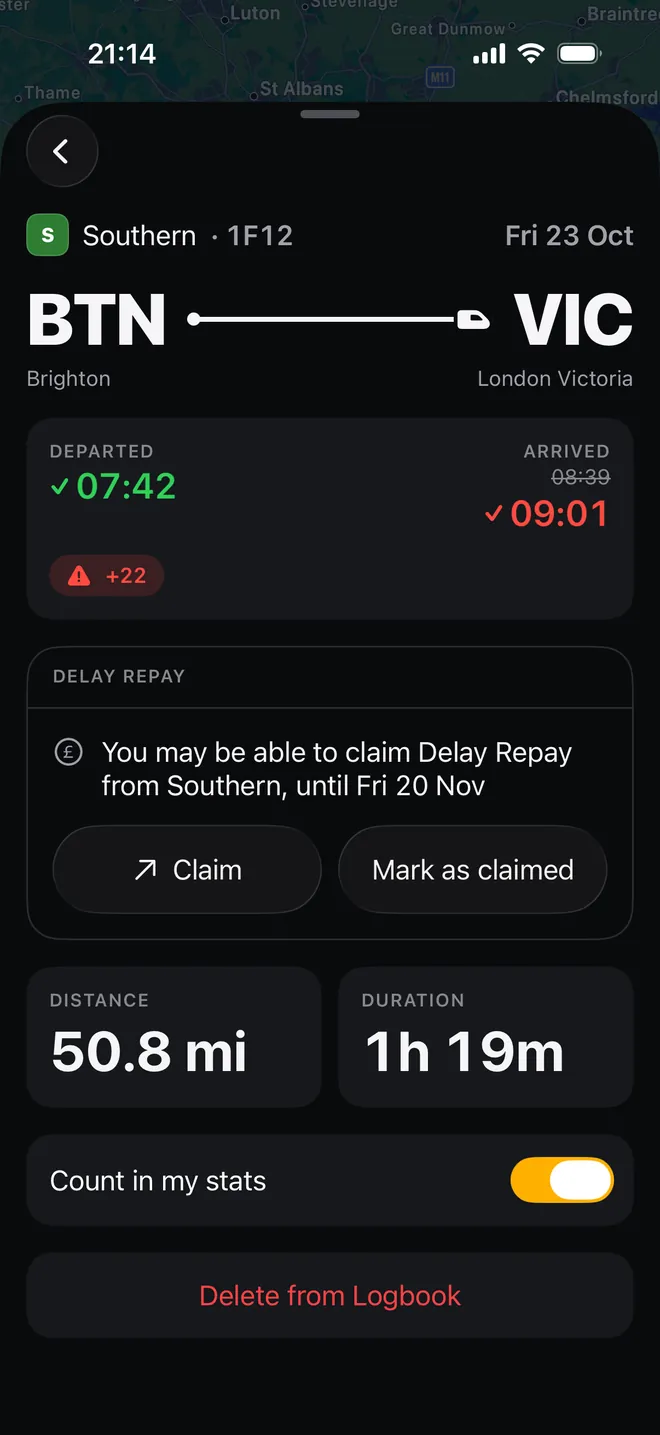
When your train arrives late enough, Calling At says you may be able to claim, links to the operator's claim page, and reminds you before the last day.

Southern's 1F12 from Brighton to London Victoria, on a Friday: departed 07:42, arrived 09:01, 22 minutes late. Delay Repay: you may be able to claim Delay Repay from Southern, with Claim and Mark as claimed.

Calling At PRO

For the trains you take again and again.

Calling At Pro adds the glances, the repeats and the Delay Repay helper, and more from your Logbook.

  • Next train widget
  • Apple Watch app
  • Repeat schedules
  • Delay Repay helper
  • Four badge collections
  • On time by route
  • Export every journey

Following any train, alerts and the Live Activity stay free.

In the beta, TestFlight never charges for Pro.

Private by design.

  • No account to make.Your iPhone signs in with a random device ID.
  • Your Logbook stays on your iPhone.So does your location, which only fills in your nearest station.
  • Our server keeps what alerts need.The trains you're following, each deleted a day after it arrives.

Anonymous usage data never says where you travel, and one switch turns it off. Read the privacy policy

Questions.

How do I join the beta?

Open the beta link on your iPhone. It takes you to TestFlight, Apple's app for trying apps before they're on the App Store, which installs Calling At. It needs iOS 26.

Which trains does it cover?

Every passenger train in National Rail's live data across Great Britain, including the Elizabeth line, London Overground and Heathrow Express. Not the Underground, trams, Eurostar or Northern Ireland.

Can it follow a journey with a change?

Not yet. For now, track each train on its own.

What does it cost?

Following any train, its alerts and the Live Activity are free. Calling At Pro adds repeat schedules, the Next train widget, the Apple Watch app, the Delay Repay helper and more from your Logbook. In the beta, TestFlight never charges for it.

Is it official?

No. Calling At is an independent app and is not affiliated with National Rail or any train operator.

Is there an Android version?

No. Calling At is made for iPhone.

Catching a train tomorrow?

Track it tonight, and let Calling At do the checking.

Join the beta

Free on TestFlight. Needs iOS 26.